
Corporate Interview Filming: Scouting an Office Location in Hong Kong
An attractive office or a photograph of a room does not establish whether it will work for a corporate interview. Assess the intended camera positions, filming time, sound and what the team can actually control. The result may be a workable room, conditions to resolve, or a different room or time. This guide uses a planning example: one interviewee, a landscape website film and a portrait cutdown, with a glass meeting room and an interior room as candidates. The aim is a clear record of location conditions.
Invite Darkroom to assess your interview production and quote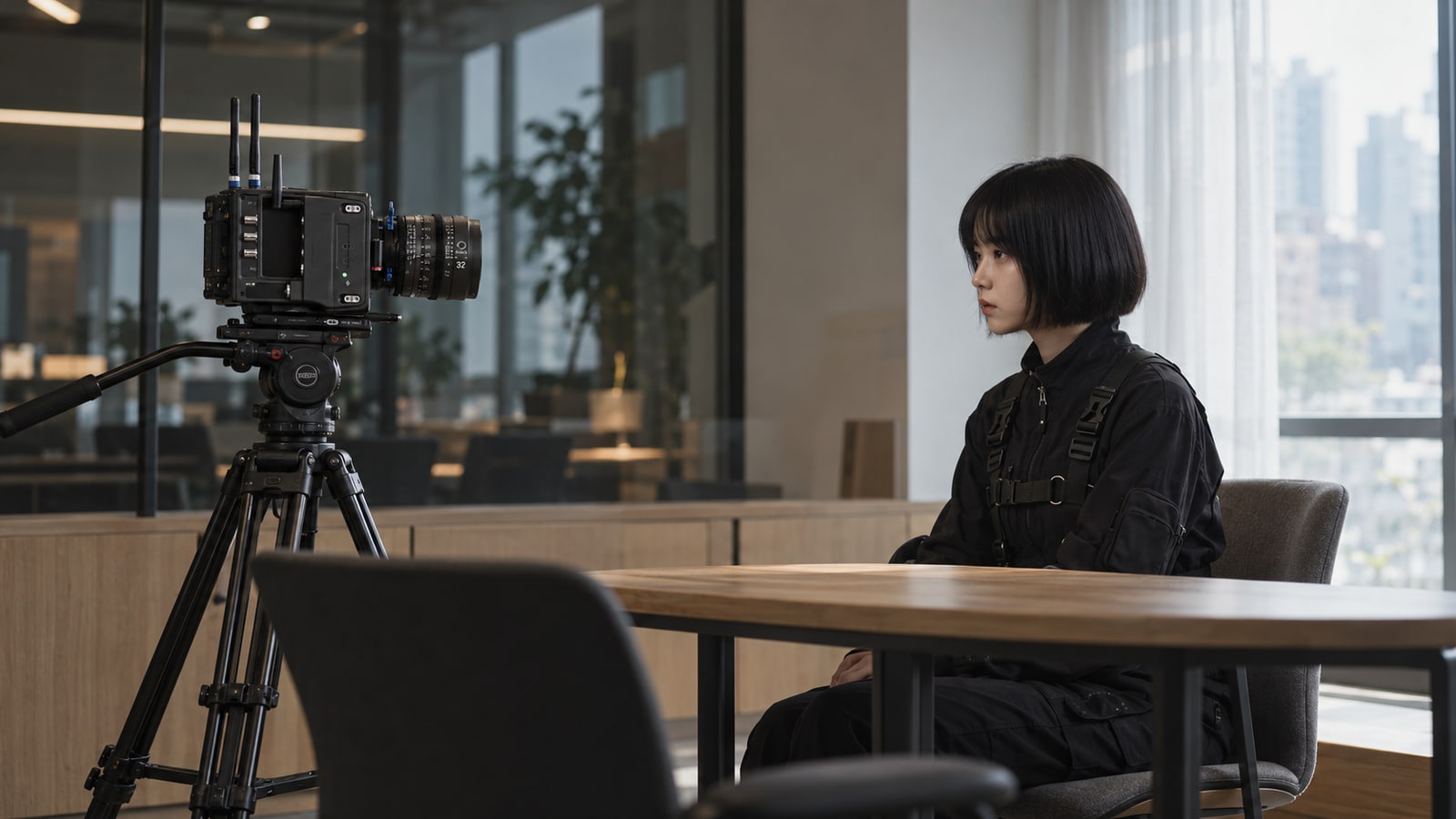
1. Define the shoot the room needs to support
Agree the number of contributors, interview format and purpose of the images before comparing rooms. This example has one interviewee, but also needs space for the interviewer, camera and sound work. Two cameras or additional working footage require a fresh check of the actual arrangement; a single-camera assessment cannot simply be carried over.
Identify what the background should communicate: people working, a brand mark, a product, or simply an appropriate setting. A beautiful window view is not automatically essential. Establish its role before assessing the space, light control and timing needed to retain it.
Apply the same requirements to both candidates. Record filming and access times, whether the room can be held continuously, and which furniture may move. Treat unapproved arrangements as open conditions rather than interpreting a colleague's “probably” as confirmation.
2. Check glass and backgrounds from the camera position
Place a colleague at the proposed interview position and inspect the candidate angles. Phone photographs can record an initial view; the production team still needs to assess the intended lenses. Look for crew, fixtures or screens reflected in glass, people passing behind a door and information that has not been cleared for publication.
An empty-room wide shot is insufficient. Include head turns, normal gestures and the intended portrait framing; if the contributor wears glasses, check their reflections during normal speech and movement too. One angle may have a clear background while another reveals reflections or a doorway. Recheck the whole composition after moving; a different angle does not necessarily preserve the original background.
A polarizer is not a universal fix for a glass room. Ira Tiffen's filter guidance explains that some reflections can be controlled, but the effect depends on the viewing angle and filter rotation, and less light reaches the lens. If the team considers one, assess it at the intended camera position rather than promising that every reflection will disappear.
Xu Jin's 2024 window-view interview post shows monitoring, lighting and sound arrangements in a Shanghai setting. It is a specific production example. The useful scouting question is what appears in the intended frame, not whether its fixture positions, brightness choices or filming time should be applied to every Hong Kong office.
3. Confirm what can be controlled at the filming time
Visit near the intended filming time and record the subject and camera positions, window direction, blind settings and weather. For a longer interview, consider conditions from the start through the final part, rather than keeping only the most attractive photograph. One visit cannot guarantee identical daylight on another day.
ARRI's explanation of light quality uses the effective source's size and position to explain hard and soft light. At the scout, record the relationship between the contributor, windows and possible light positions rather than starting with a fixture list. The production team can then assess the intended look. The commercial-production guide covers specific spill-control and diffusion approaches.
In Aputure's account of Bad Influence, the camera team retained bright window views by choosing the exterior exposure and adding a large diffused source. Time constraints also affected its window-treatment options. The example shows how preserving a view involves equipment, space and time; it does not prescribe the same fixture package for every office.
Sampled frames from Mose's Bilibili demonstration show the subject treatment alongside a separately lit desk lamp and coloured background. For a scout, inspect the person and then whether the background supports the content; the example does not require copying its blue backdrop or equipment settings.
Ask the person with authority: may blinds be adjusted, which furniture can move, can the room be held until filming finishes, and who controls the air-conditioning? Record permission, available times and limitations. An unresolved condition is not a confirmed arrangement to switch off cooling or cover windows.
Visual guide / Location scout
Check reflections, window light and camera space
A good-looking office may not suit a complete interview. Use this scene to locate picture checks, then record sound to assess conditions a photograph cannot reveal.
01Glass reflections
Check from the intended camera position. Test again after changing angle or adding control.
02Changing window light
Confirm the filming period and available control, checking the person against the background.
03Camera and working space
Check whether the framing, microphone position and clear access can coexist.
Make one of three decisions after picture and sound tests
Usable
The planned picture and speech meet the need, with room for movement during the available time.
Control, then retest
Reflections, light or noise have a workable treatment. Put it in place and test it.
Change the arrangement
If the required picture or clear speech remains unworkable, change position, timing or room.
4. Listen to the recording and check normal activity
Shure's location and recording guidance supports checking environmental conditions, monitoring and scouting near the intended time. Record a colleague speaking normally and note whether cooling, traffic, adjoining rooms and office activity are operating as expected. Use similar delivery and content when comparing candidates. The existing production guide explains noise, reverberation and microphone comparisons in more detail.
If the plan uses venue AV or another signal source, ask the production team to test the actual connections, inputs and recording equipment, then listen to the recorded file. A picture on the monitor, a moving meter or sound audible in the room does not confirm that the final recording is usable.
Xu Jin's post shows a lavalier and another wired microphone, but two sound paths do not guarantee success. If two are used, check each recording for presence and clarity and assess the continuous content the edit needs. These are this guide's review recommendations, not an independent measurement of the post's audio quality.
Check what photographs cannot reveal: meetings ending, deliveries, calls, cleaning, corridor activity and lifts. Which can be coordinated, and which are outside the venue's control? If essential speech will be repeatedly interrupted without a workable arrangement, compare another room or time instead of assuming post-production will resolve it.
5. Draw crew positions and working routes together
Use a simple plan to mark the contributor, interviewer, cameras, possible light positions, sound workspace, doors and normal circulation. Its purpose is to reveal conflicts, not to ask non-technical colleagues to specify electrical connections or rigging.
Check equipment access, doors and furniture against the planned setup. Allow for the people operating it, and identify where ordinary traffic would cross camera positions or cables. Relevant technical personnel and venue management must confirm electrical capacity, connections, cable management and required access. Do not infer a universal allowance from a photograph.
Mark anything that needs moving or reserving as a condition, with an identified approver. If the proposed crew and equipment only fit by obstructing necessary circulation, revise the setup or compare the alternative room rather than squeezing the drawing together.
6. Record a decision and its conditions
Use the same record for each room, separating observations, controllable issues and unresolved conditions. The following fields can be completed for the project. There is no universal pass score: the record tells the brand, production team and venue who needs to do what next.
Suppose the glass room supports the desired image, but corridor activity and cooling arrangements remain unconfirmed. Record “conditions pending” rather than declaring it ready. An interior room may be an alternative if it supports the required frame, sound and workspace; it still needs checking under the intended conditions. Having no windows does not automatically make it better. This is a planning example, not a claim that either room has been tested.
Once essential conditions are confirmed, include the room in the filming plan. Assign an owner and confirmation time to open items. If the necessary access period, frame or workspace cannot be secured, changing the room or time is a valid outcome. Conditions still need checking on the filming day.
| Check | Observation | Owner / next action |
|---|---|---|
| Room and filming time | Room: ____; date / time: ____ | Continuous access: ____; approver: ____ |
| Framing, glass and background | Camera-view photo: ____; issue: ____ | Position change / material to remove: ____ |
| Daylight and venue control | Blinds / furniture / cooling: ____ | Approved / awaiting approval / fixed: ____ |
| Recorded sound and activity | Audio file: ____; operating conditions: ____ | Coordinated times / unresolved issues: ____ |
| Crew positions and access | Plan reference: ____; conflict: ____ | Technical and venue contact: ____ |
| Alternative and decision | Alternative room / time: ____ | Workable / conditions pending / change: ____ |
7. Give the production team what is already known
Start with the film's purpose, contributor count, target date, candidate rooms and landscape or portrait deliverables. If available, add camera-view photographs, a simple plan, recorded samples and a list of permissions and open questions. Have the appropriate person confirm what may be shared.
An enquiry can be brief: “We are planning a corporate interview in our office, with a landscape main film and a portrait cutdown. These are the candidate rooms and access times; some blind and corridor arrangements are still open. Please assess the production approach, any further scouting needed and a quotation.”
You can introduce the project without photographs or a floor plan. Darkroom can discuss filming arrangements and a quotation from the purpose and conditions already known. Any on-site scout, technical tests or bespoke planning are then scoped as required; a complete technical pack is not a condition of making contact.
Quick checklist
- Define contributors, image purpose and landscape / portrait needs
- Check the subject, glass reflections and background from candidate camera positions
- Record daylight, blinds and normal activity near the intended time
- Distinguish recorded-file listening from on-set monitoring
- Identify who approves room, furniture, cooling and activity arrangements
- Have technical and venue personnel confirm positions, cables and access
- Keep conditions, responsible people and alternatives for each room
Q&A
Should we hire a studio or film in the office?+
There is no fixed answer. An office can provide work-related context, but its image, sound, available time and controllability need checking. Another room or a studio has its own arrangements. Compare them against the film's purpose rather than the decor or venue label.
Do clear location photographs replace a scout?+
Photographs help with position and framing but do not establish recorded sound, changing conditions, activity or permission to make adjustments. The production team can assess what can be confirmed remotely and what needs a visit or test; not every project requires the same scouting approach.
Can we request a quote before choosing the room?+
Yes. Share the purpose, contributor count, date and available options, with unresolved conditions identified. The team can explain its proposed arrangements and assumptions, then confirm any scouting or testing scope. You do not need to design the technical setup first.
Sources and scope
Each reference supports the topic noted below. Darkroom developed the planning recommendations and examples in this guide.
- Mose: talking-head and interview lighting demonstration (Bilibili, 2023-10-13)
Sampled visible frames and captions around 0:32, 1:39 and 2:32 show the setup, facial shadows and finished scene during normal playback; not complete viewing or a transcript. Used only as an example of inspecting subject and background separately, not a universal temperature, angle or equipment recipe.
- Shure audio guide: monitoring and location conditions (pp. 28–29)
Supports monitoring, environmental checks and scouting near the intended time. The comparison sheet, permission questions and decision categories are Darkroom recommendations, not a Shure-certified process. Historical frequency rules are not presented as current Hong Kong requirements.
- ARRI Lighting Handbook: light quality and control (pp. 5–8)
Supports basic relationships between light quality, effective source size, position and control. It does not measure this page's office illustration, specify its fixtures or validate a scouting outcome; those are planning examples.
- Aputure: window-view interviews on Bad Influence
The manufacturer's article records DP Nicholas Kraus and the team's choices about window exposure, diffused lighting and available time. It supports that production's approach, not independent equipment testing, universal office requirements or a Darkroom client case. Marketing-performance figures are not adopted.
- Ira Tiffen, Camera Filters: polarizers (pp. 5–6)
A retailer-hosted copy of the original author's text supports control of some reflections, with limitations involving angle, filter rotation and light loss. It does not measure this page's glass room. No fixed angle, light-loss value or promise to remove every reflection is adopted.
- Xu Jin: window-view interview production example (Xiaohongshu, 29 January 2024)
The four-image post and accompanying text, titled 18年视频采访经验总结之选景布光声音技巧, show one creator's Shanghai window-view interview, monitoring and two-path sound arrangement. This is not a universal specification, independent audio test or measured Hong Kong location. Its absolute brightness, ideal-time and wireless-interference statements are not adopted.